Five things worth trying first
Each of these is a screen the demo opens with real numbers behind it.
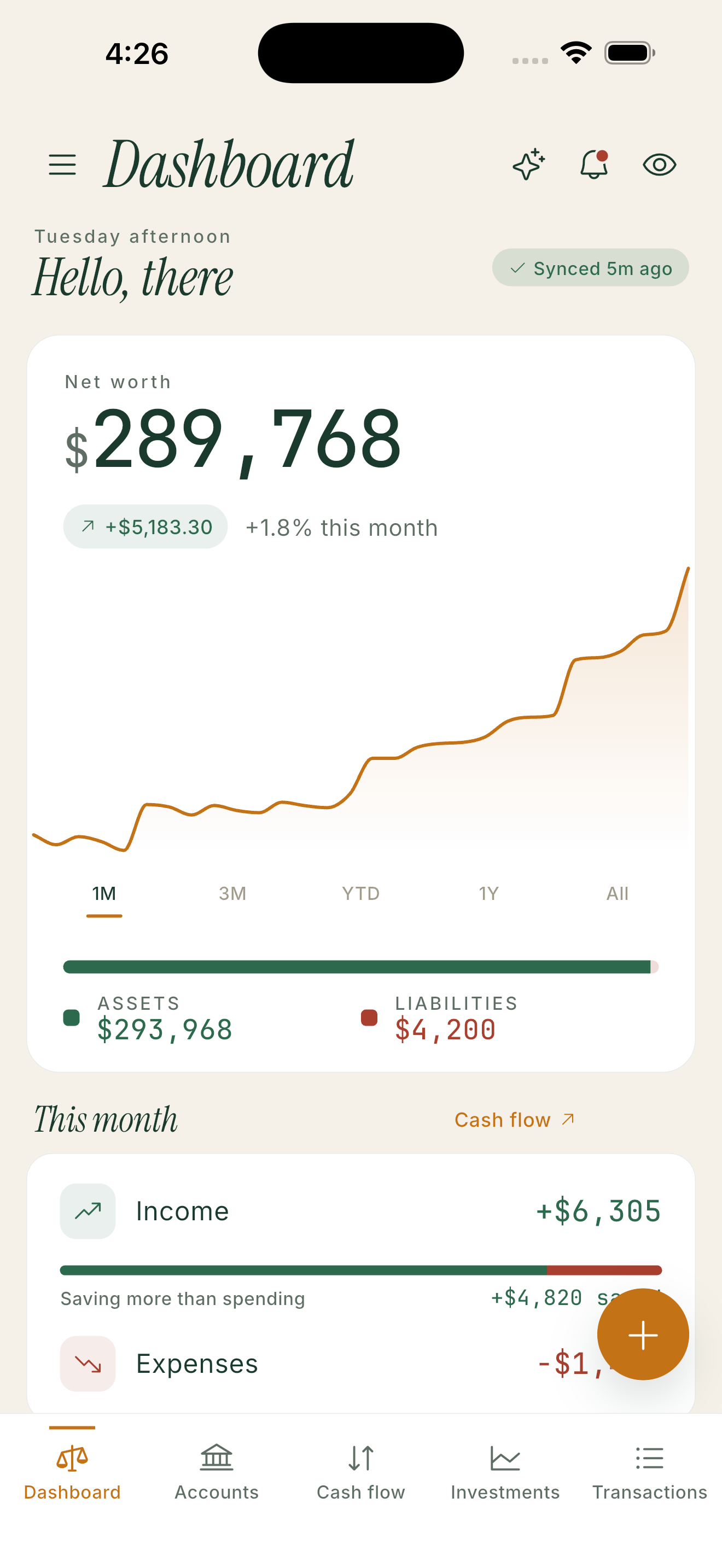
01 · Dashboard
Start with the one number
Net worth, the month’s change, and the assets and liabilities behind it — then scroll into cash flow.
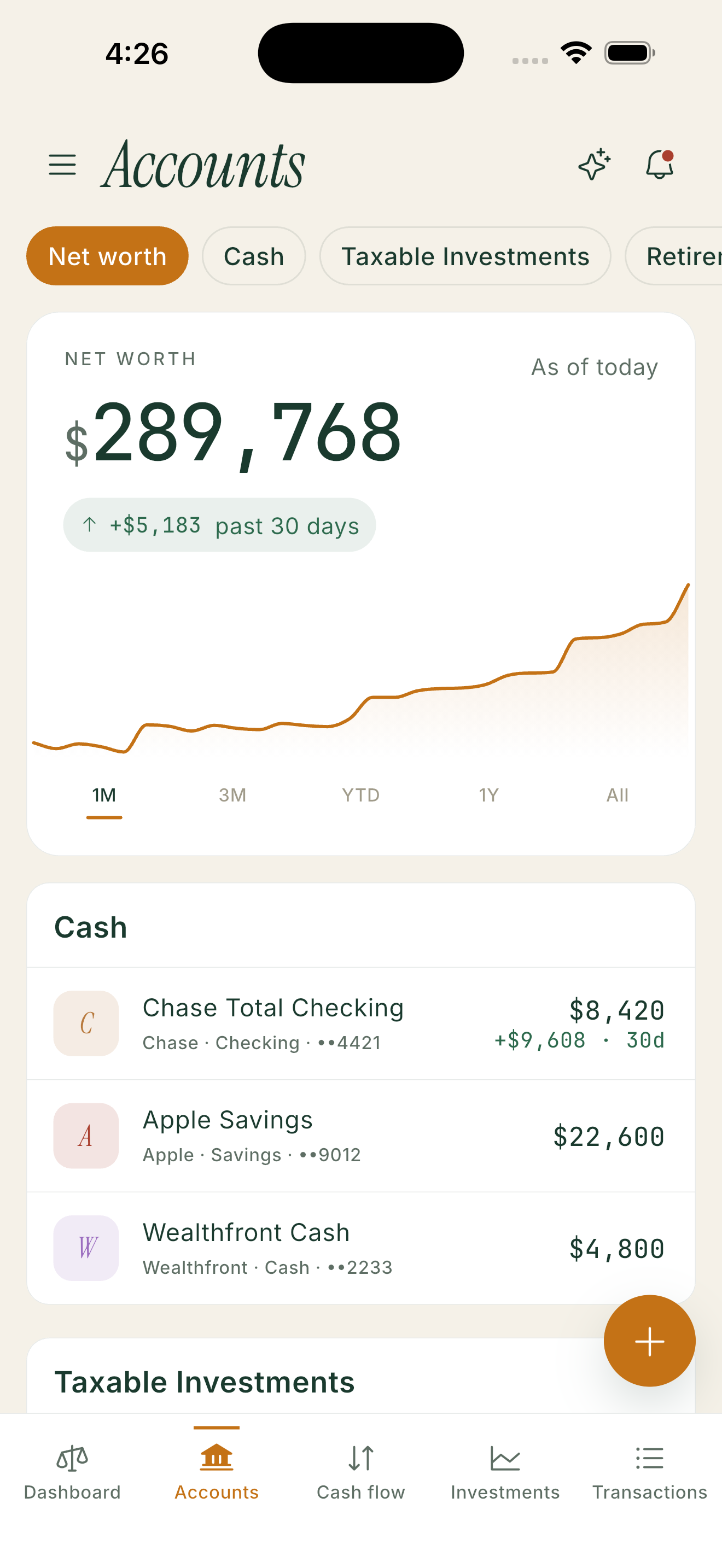
02 · Accounts
Filter by what kind of money it is
Cash, taxable investments, retirement, property. Every account with its institution and masked number.
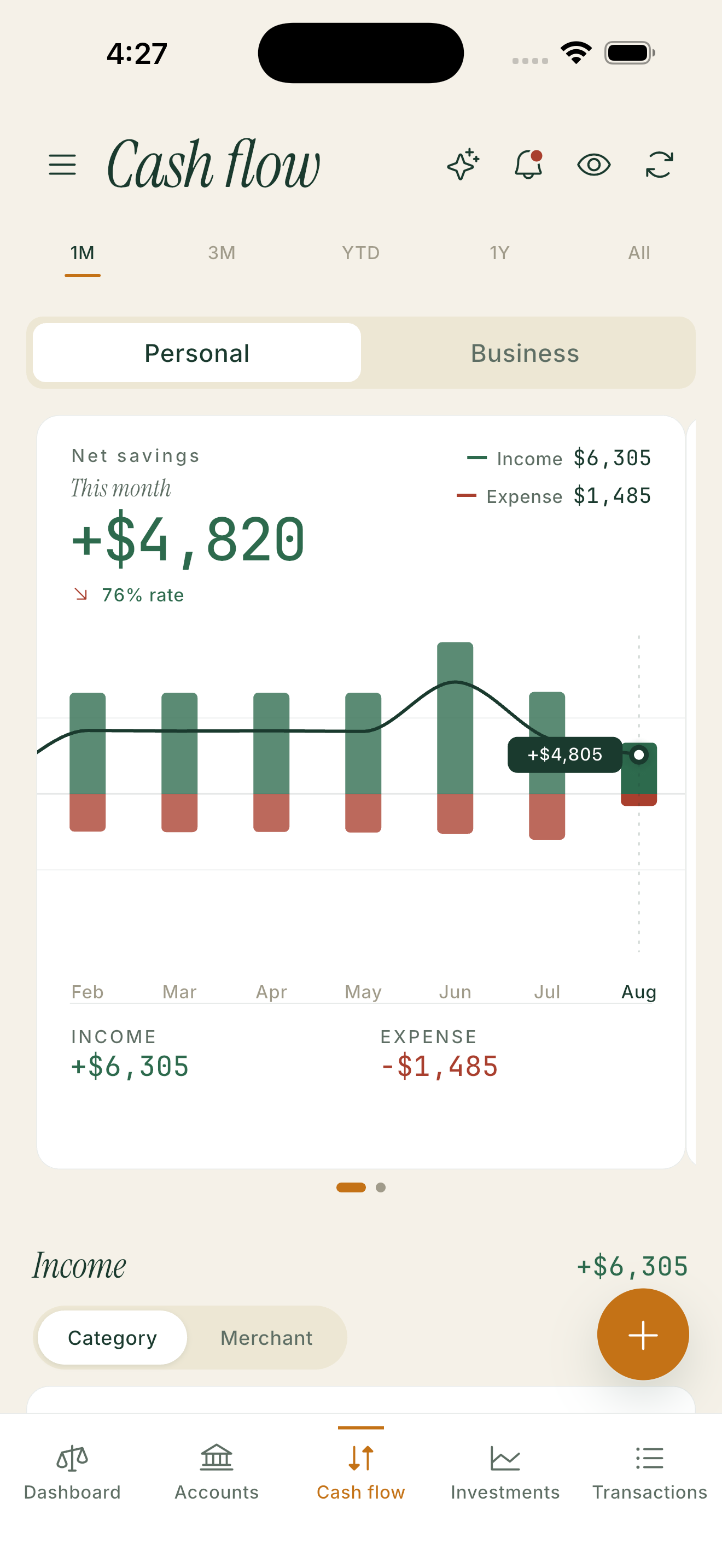
03 · Cash flow
Switch personal to business
The same month, sorted two ways — income against expense, with the savings rate on top.
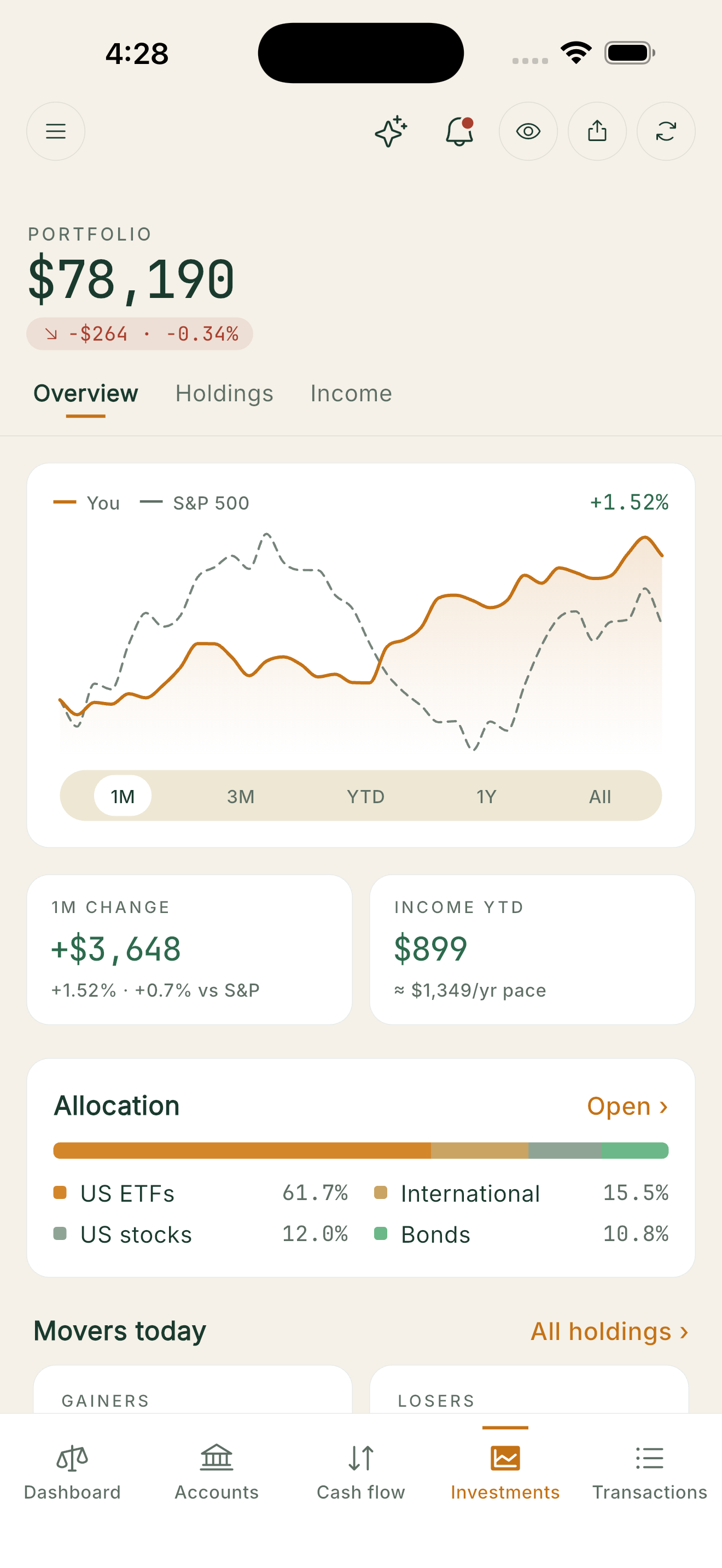
04 · Investments
Compare yourself to the S&P
Your line against the index, one-month change, income year to date, and what actually moved.
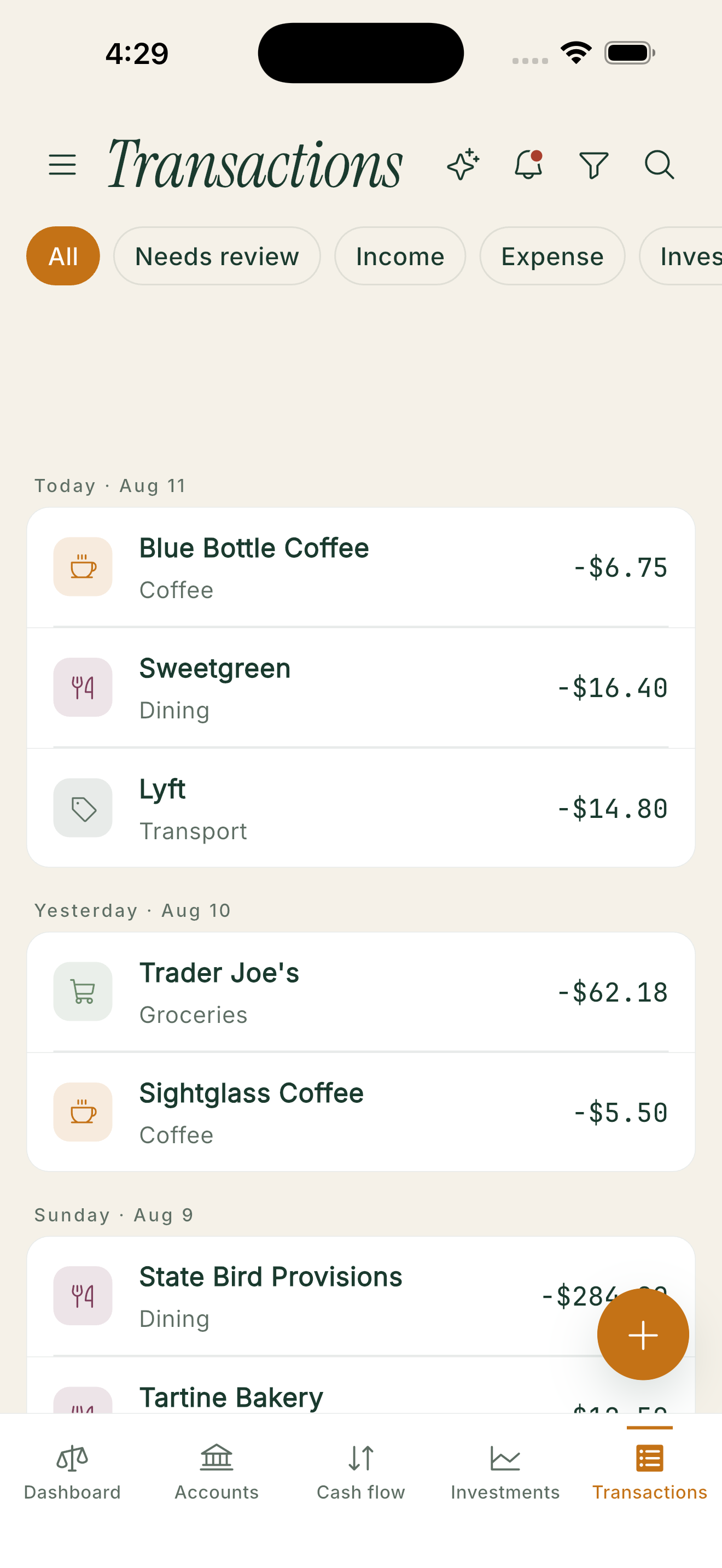
05 · Transactions
Review, split, and file
Date-grouped rows with categories already assigned. Swipe to edit, split a bill, or raise an IOU.
What the demo is not
It is not connected to any bank, and it will never ask you for a credential. Every figure in it is invented for illustration.
No bank connection, no credentials, no Plaid link.
Sample household: salary, side business, brokerage, mortgage, shared expenses.
Nothing you change in the demo is saved to a real account.
Exit demo mode any time from the banner at the top of the screen.
Ready when the App Store is.
$49.99/year. Eligible new subscribers can start with1 month free. Mira for iPhone is coming soon.
Open the demo